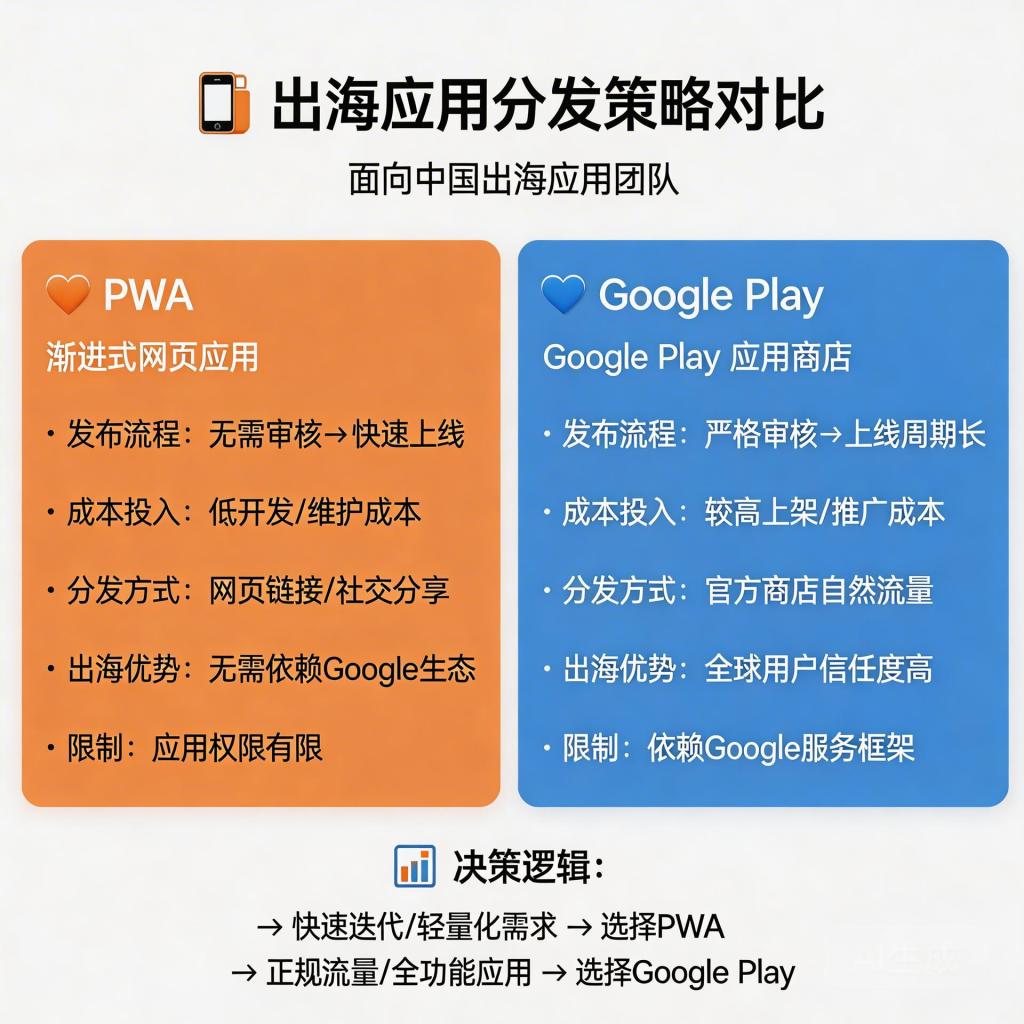
Google Performance Max is now unavoidable for Android app advertisers. Its ability to access all Google inventory—Search, YouTube, Display, Discover—at scale makes it the default choice for teams running app install campaigns. But PMax’s effectiveness isn’t determined by the campaign settings alone. The distribution destination you choose—Google Play or PWA—is a strategic decision that determines whether your PMax spend compounds into sustainable growth or gets consumed by avoidable friction and commissions.
→ Want to bypass Google Play entirely? See how ROiBest PWA works — no submission, no cut, 1.2x installs.
The Problem With Google PMax + Google Play Distribution
Performance Max is built to optimize install volume toward your target CPA. When it routes users to a Google Play listing, it runs into structural limitations that have nothing to do with targeting or creative quality:
- APK download friction: Users must wait 30-120 seconds for APK download. Abandonment during this wait is invisible to PMax—it shows as a click without a conversion, teaching the algorithm that those users were low-quality.
- 30% commission on every in-app purchase: For every dollar your app earns through Google Play IAP, 30 cents goes to Google. This isn’t an ad spend issue—it’s a structural tax on your revenue that compounds with scale.
- App store review delays and rejection risk: New updates require Play Store review (1-3 days typical, can be longer). Rejections or takedowns create revenue gaps that no amount of PMax optimization can compensate for.
- Re-engagement cut off at uninstall: Once a user uninstalls your Google Play app, you lose all re-engagement ability. PMax re-engagement campaigns can only reach users who still have the app installed.
These are not marginal inefficiencies—they’re compounding drains on campaign ROI that affect every install your PMax campaign delivers.
How PWA Solves the PMax Distribution Problem
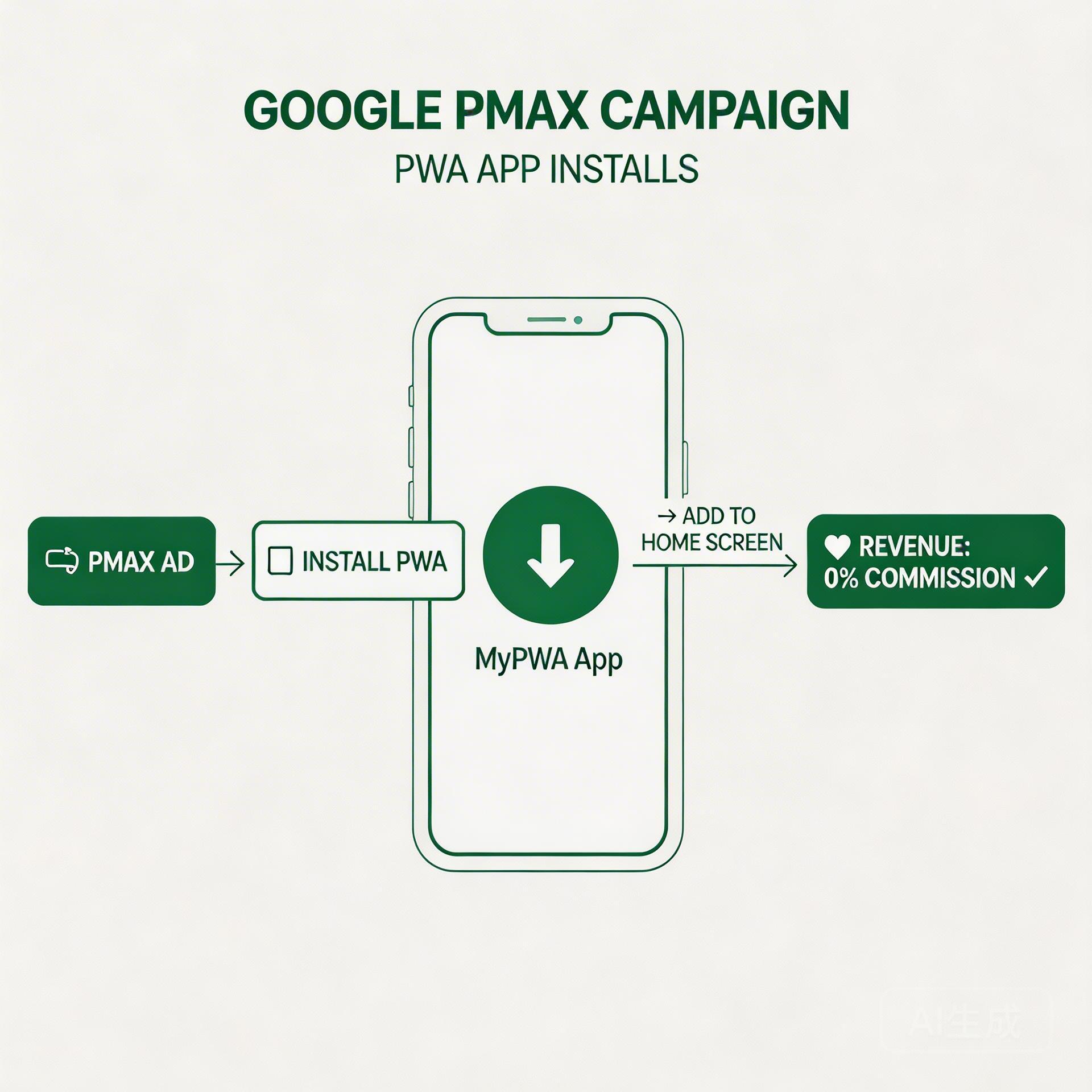
Progressive Web Apps (PWAs) replace the Google Play distribution layer while maintaining the full PMax acquisition engine above it. The change in distribution destination produces measurable improvements at each stage of the install funnel:
At the Install Stage: 1.2x Higher Conversion Rate
PWA installation requires one action: the user taps “Add to Home Screen” and the app icon appears on their device within seconds. No account required. No storage check. No download wait. No confirmation dialogs.
This elimination of friction drives a 20-35% higher install conversion rate compared to Google Play redirect. For your PMax campaign, this means: same ad spend, more installs, and stronger conversion signal for the algorithm to learn from.
At the Revenue Stage: Zero Commission
Web-based payments (Stripe, PayPal, and regional equivalents) carry no platform commission. 100% of IAP revenue flows to you. For app teams generating meaningful in-app purchase revenue, this is often a larger financial impact than the install conversion rate improvement.
At the Retention Stage: Post-Uninstall Push Notifications
Chrome-based PWA push notifications remain active even after a user removes the PWA from their home screen. This creates a re-engagement channel that extends campaign ROI beyond the install event. For Google Play apps, this is technically impossible—uninstall permanently severs the relationship.
At the Distribution Stage: No Review, No Takedown Risk
PWAs operate under standard web protocols. There is no app store gatekeeper. Updates go live instantly—no review queue, no rejection risk. For apps in categories with elevated Play Store review scrutiny (games with IAP, social apps, certain content categories), this removes a significant operational risk that Google Play distribution carries.
The complete guide to Google Play alternatives covers the broader distribution decision framework, including platform-by-platform comparison.
Google PMax + PWA: The Campaign Setup
Step 1: Route PMax Traffic to a Dedicated PWA Landing Page
Don’t send PMax traffic to your website homepage or a generic app page. Build a single-purpose landing page designed exclusively for the PWA install conversion:
- App icon and name prominent above the fold
- Single CTA: “Install Now” or “Add to Home Screen”
- 3-5 screenshots or a short gameplay/feature video
- Load time under 2 seconds (required for the browser install prompt to appear)
- HTTPS required (non-negotiable for PWA installation)
Step 2: Set Up Correct Conversion Tracking
PMax needs accurate install signal. Track the browser’s appinstalled event as your primary conversion action in Google Ads. Do not use page view or session start as your primary conversion—this teaches PMax the wrong signal and degrades campaign quality over time.
Set post-install engagement events (first game session, first purchase, day-3 return) as secondary conversions. Use these to switch to Target ROAS bidding after 4-6 weeks once you have sufficient conversion data.
Step 3: Feed Strong Audience Signals to PMax
PMax’s audience signals aren’t constraints—they’re directional inputs that steer the algorithm. Provide:
- Customer match: existing user or player email list
- Website visitors: users who visited your PWA page but didn’t install (strong re-engagement signal)
- Similar audiences: built from your highest-retention player segments
- In-market segments: relevant game or app category
The Business Case: Why This Decision Matters Now
App teams often treat PMax optimization as a campaign-level exercise—adjusting bids, rotating creative, refining audiences. These optimizations yield 5-15% improvements at the margin.
Switching from Google Play to PWA distribution as your PMax destination is a structural change that yields:
- 20-35% install CVR improvement (immediately competes with any targeting refinement)
- 30% commission elimination on all IAP revenue
- Elimination of review delays and takedown risk
- Permanent re-engagement capability regardless of install/uninstall status
The teams that are building durable competitive advantages in Android app distribution in 2026 aren’t competing on campaign optimization alone. They’re competing on structural advantages that change the unit economics of every install their campaigns deliver.
As detailed in our analysis of Android PWA add-to-home-screen setup, the technical barrier to launching a PWA is significantly lower than most app teams expect—and ROiBest handles the infrastructure so you can focus on the campaign side.
What to Do Next
If you’re currently running PMax for Android app installs through Google Play:
- Audit your current install conversion rate from landing page to confirmed install
- Calculate your annual Google Play commission on IAP revenue (Google Play Console → Payments → Reports)
- Evaluate whether your app category carries Play Store review or rejection risk
- Build a PWA landing page and run a 30-day parallel test: same PMax budget, split between Google Play destination and PWA destination
- Compare CPI, install CVR, and day-7 retention between the two
In most cases, the test results speak clearly. The question isn’t whether PWA performs better—it’s how quickly you move your full budget allocation to the better destination.
Skip the app store. Go live instantly, keep 100% of your revenue.
ROiBest helps Android app teams launch PWAs — no review process, no 30% Google Play cut, and push notifications that work even after uninstall. Teams see up to 1.2x higher install conversion rates vs native app downloads.
 WebApp中文站
留下评论